# CRONUS-WEB-CXC-Mantenimientos-Clientes-Ubicación-Distritos
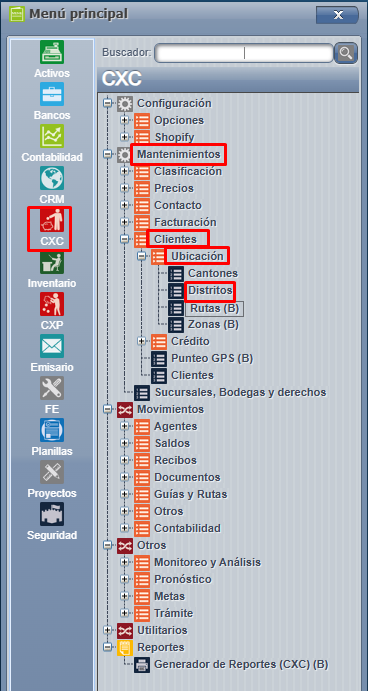
Para este proceso, ingresamos a CXC => Mantenimientos => Clientes => Ubicación = > Distritos:
[](https://ayuda.cronuserp.com/uploads/images/gallery/2026-05/screenshot-1184.png)
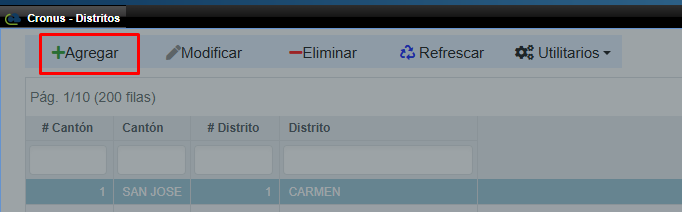
Acá basta con presionar agregar:
[](https://ayuda.cronuserp.com/uploads/images/gallery/2026-05/screenshot-1186.png)
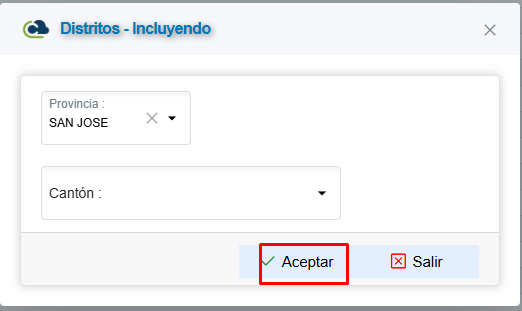
Y el sistema emerge la ventana para incluir los campos requeridos que serían Provincia, Cantón y Distrito, posteriormente aceptar para guardar los cambios:
[](https://ayuda.cronuserp.com/uploads/images/gallery/2026-05/screenshot-1187.png)
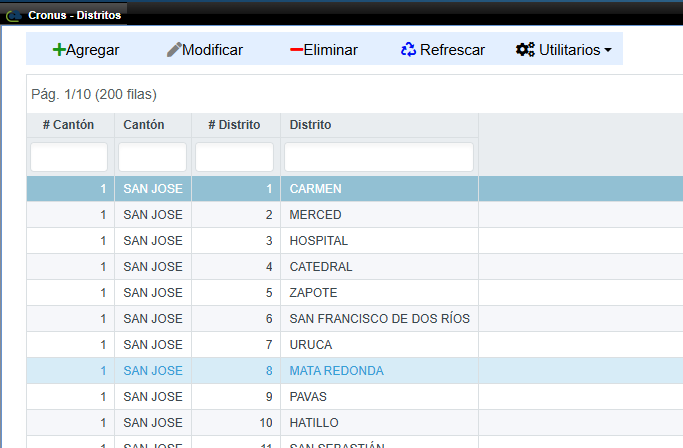
En la pantalla principal sale la lista de los distritos incluidos
[](https://ayuda.cronuserp.com/uploads/images/gallery/2026-05/screenshot-1188.png)