# WEB - PLANILLAS - MANTENIMIENTOS - DIVISIONES - UNIDAD DE NEGOCIO

***<span style="font-size: 12.0pt; line-height: 107%; font-family: 'Arial','sans-serif';">Acceso y Requisitos Previos</span>***

**<span style="font-size: 12.0pt; line-height: 107%; font-family: 'Arial','sans-serif';">Permisos de la seguridad para el proceso:</span>**

<span style="font-size: 12.0pt; line-height: 107%; font-family: 'Arial','sans-serif'; mso-fareast-font-family: 'Times New Roman'; color: #212529; mso-ansi-language: ES-GT; mso-fareast-language: ES-GT; mso-bidi-language: AR-SA;">“MNEGOCIOS1”: Mantenimiento a Unidades de Negocio</span>

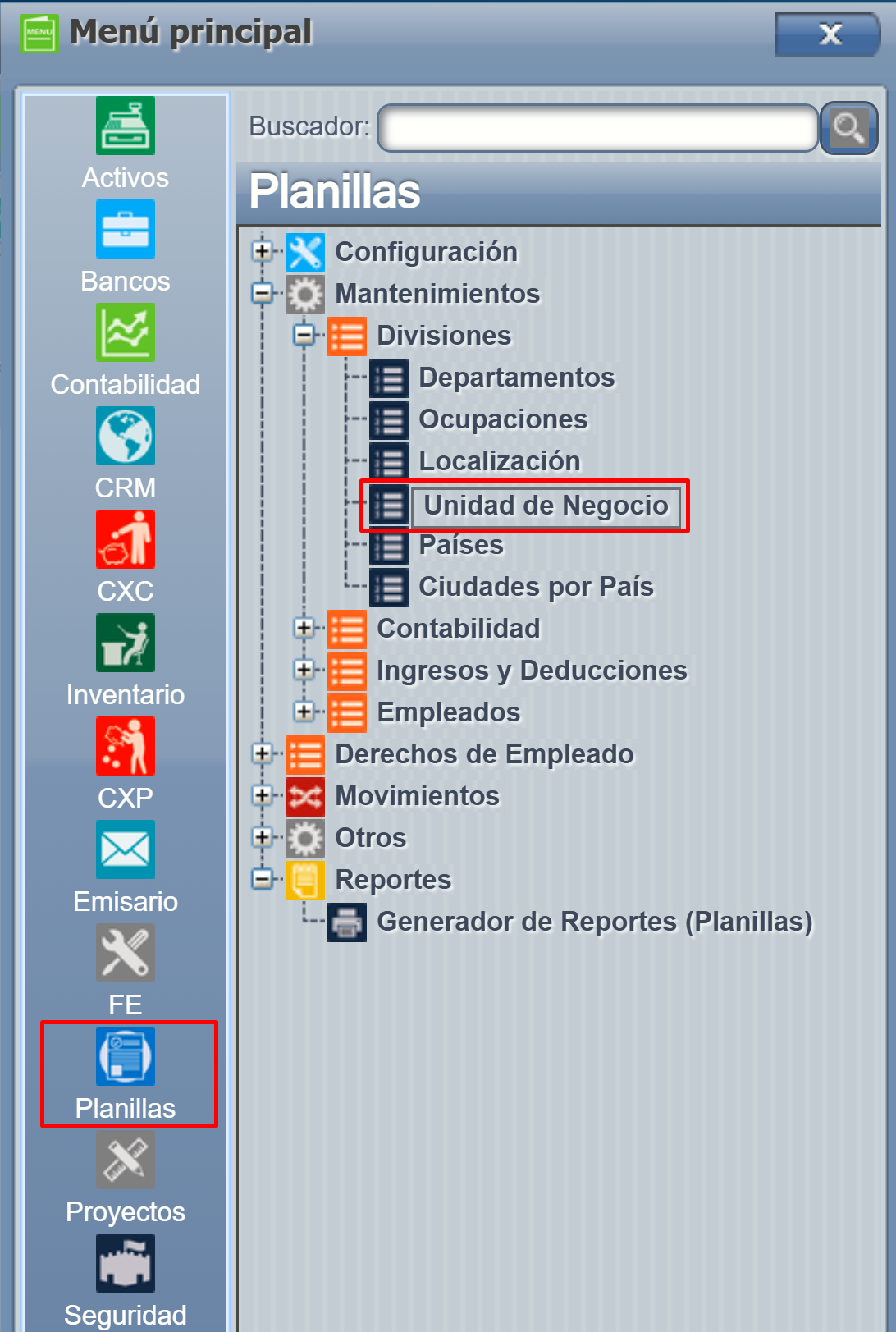
<span style="font-size: 12.0pt; line-height: 107%; font-family: 'Arial','sans-serif';">Planillas =&gt; Mantenimiento =&gt; Divisiones =&gt;Unidades de negocio</span>

[![image.png](https://ayuda.cronuserp.com/uploads/images/gallery/2026-10/scaled-1680-/SEIimage.png)](https://ayuda.cronuserp.com/uploads/images/gallery/2026-10/SEIimage.png)

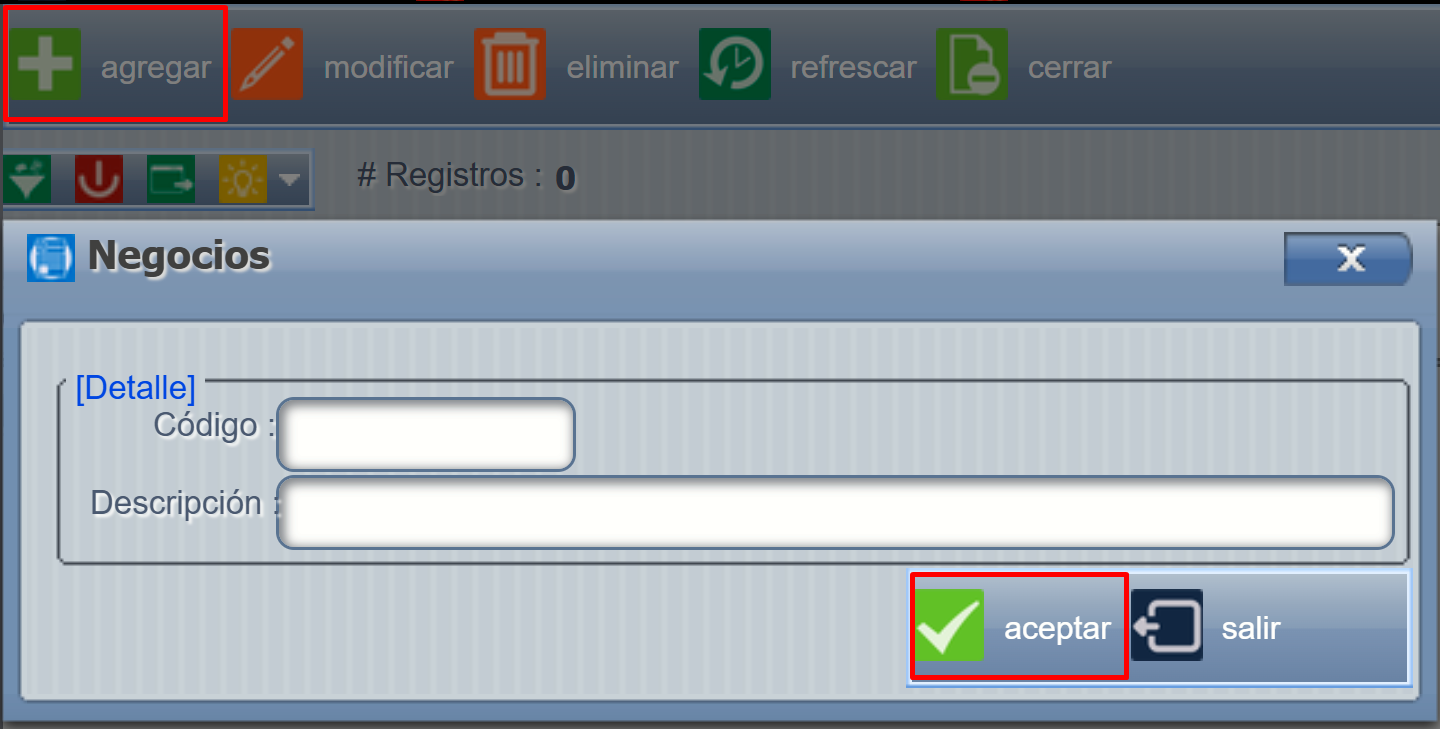
<span style="font-size: 12.0pt; line-height: 107%; font-family: 'Arial','sans-serif';">Se presiona **AGREGAR** ahí se nos abre una pantalla donde debemos de agregar la unidad </span>

[![image.png](https://ayuda.cronuserp.com/uploads/images/gallery/2026-10/scaled-1680-/ABkimage.png)](https://ayuda.cronuserp.com/uploads/images/gallery/2026-10/ABkimage.png)